


At a glance
Expert’s Rating
Pros
- Great ergonomics and build quality
- Superb scroll wheel with adjustable resistance
- Long battery life and reliable sensor
Cons
- Heavy and slightly sluggish when moving quickly
- Limited ability to create custom macros
- Scroll wheel feels a little loose in free position
Our Verdict
The Logitech MX Master 4 shines where it belongs—on your desk. Built for productivity, not gaming, its ergonomics, materials, and scroll wheel feel make it a joy to use every day. I’d like a bit more software flexibility and a lighter weight, but overall, Logitech has refined a classic into something excellent.
Price When Reviewed
This value will show the geolocated pricing text for product undefined
Best Pricing Today
Price When Reviewed
119.99
Best Prices Today: Logitech MX Master 4



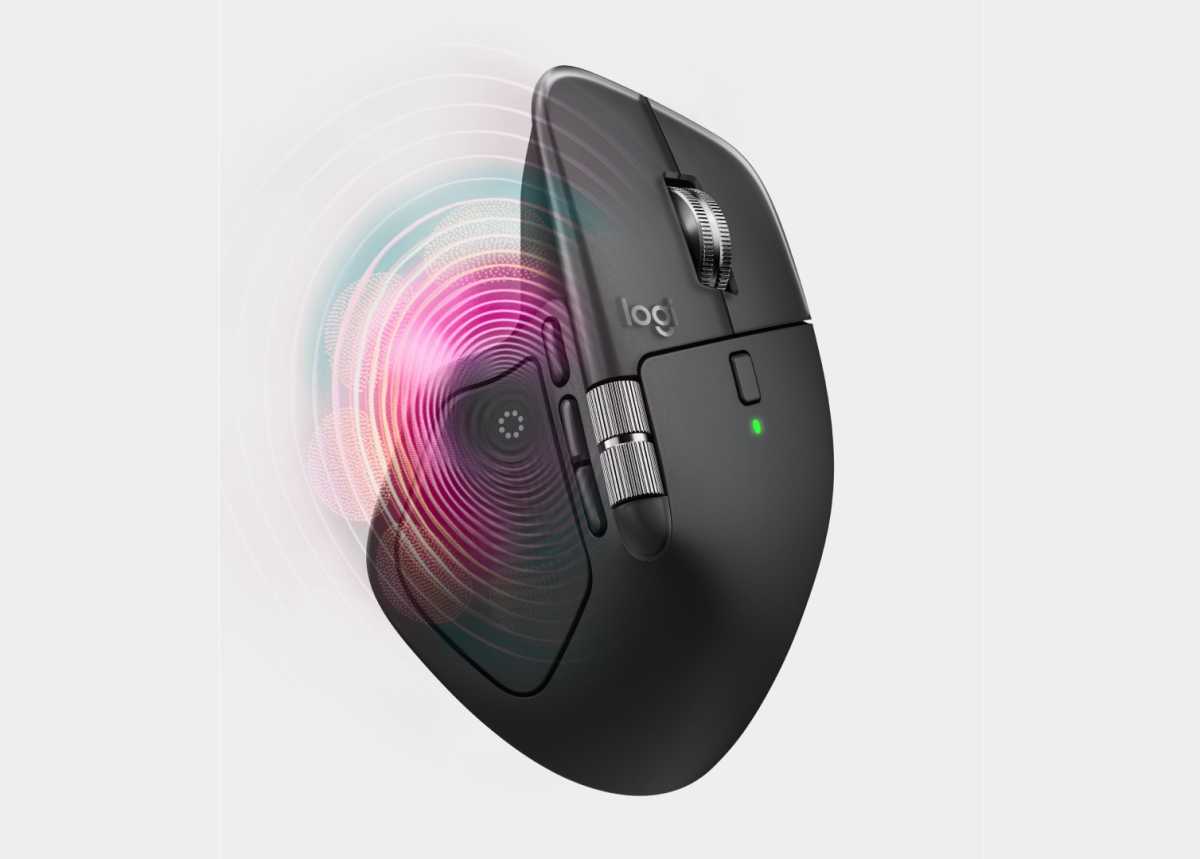
Picking up the Logitech MX Master 4 for the first time, I’m struck by how well it fits in my hand. Its shape is just right, with a slope that allows the wrist to rest naturally and the thumb to fall onto the buttons. It’s a mouse that feels long enough to keep your fingers from hitting the touch buttons–something that has annoyed me on many other models. The MX Master 4 isn’t about speed or RGB lights, it’s about comfort, precision, and getting work done.
In practical use, the MX Master 4 is still a delight. The sensor is extremely accurate, it works on almost any surface–even glass–and the response is immediate.
Logitech
The surface is solid, the materials feel premium and the clicking sounds are almost non-existent. The right and left buttons are extremely quiet and very sensitive, which is perfect in open-plan office environments but takes some getting used to. I quickly realize I’m pressing too lightly at first, but after a few days of use everything feels natural.
The weight, on the other hand, is noticeable. The mouse is heavy, which gives a solid feeling, but it also becomes sluggish to move quickly. For me, who mostly works in editing and office programs, this isn’t a disadvantage per se, but when I try to play a few rounds in FPS games, it feels that this is not the right mouse for that purpose.
Logitech MX Master 4: Scroll wheel and control
The magnetic scroll wheel is absolutely amazing! You can switch between distinct incremental scrolling and free scrolling that just spins on for ages. It’s handy, especially when I’m working in long documents or browsing through image archives. At the same time, it has a small drawback: when moving quickly, the wheel can feel a little loose, almost like it’s living its own life for a split second. This doesn’t bother you in everyday use, but it’s noticeable when the pace picks up.
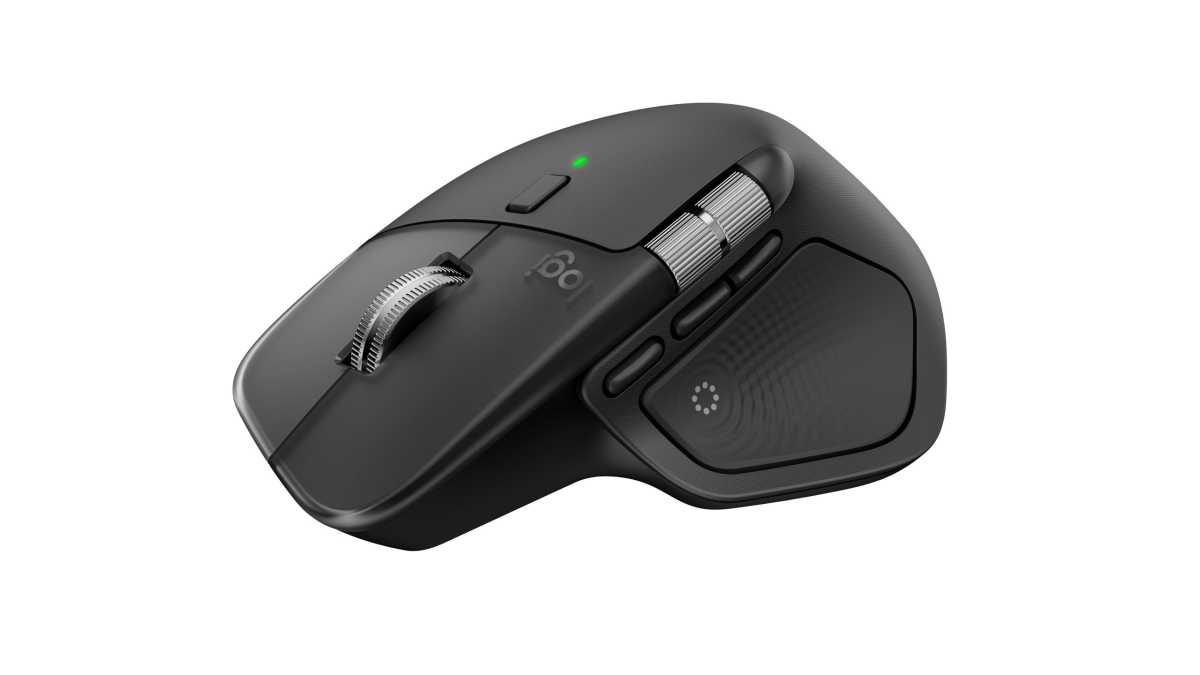
Under the thumb is another scroll wheel, the horizontal scroll. It took a few days to get used to, but it’s really handy when you’re working in Excel, timelines in video editing or large whiteboard programs like Miro.
One novelty is the gesture button–holding it down and dragging the mouse in different directions lets you assign it its own functions. It’s clever in theory, but in practice I rarely use it. Most of the time, pressing keyboard shortcuts is faster than remembering which movement does what.
Logitech MX Master 4: Software
All customization is done via Logitech’s Logi Options software. There you can adjust haptics, scroll resistance, brightness, and define what each key should do in different programs. It works perfectly for app-specific commands and by default the thumb buttons are programmed to general “undo” and “ready.”
The software is very focused on workflows in specific apps rather than free automation. For me, who likes to customize everything to my own shortcuts, it feels somewhat limited. You can build longer command chains or script your own sequences, but functionally it’s limited which is a shame.
.
Logitech MX Master 4: User experience
In practical use, the MX Master 4 is still a delight. The sensor is extremely accurate, it works on almost any surface–even glass–and the response is immediate. I especially appreciate how smooth the feel is over time: no lag, no jerks, just steady precision.
Battery life is also impressive. After several weeks of daily use, I still have plenty of charge left, and charging it is quick via USB-C. I like the fact that I can continue to use the mouse while it is charging, something many manufacturers still miss.
The only thing that grates a bit is the polling speed. At 125 Hz, it doesn’t feel as snappy as a real gaming mouse, and it’s noticeable when I try to spin quickly or aim accurately in games. But again, this isn’t a gaming mouse, and that’s not the point.

Specifications
Manufacturer: Logitech
Tested: October 2025
Number of buttons: 8
Scroll wheel: Yes, Magspeed scroll wheel with smart shifting
Wireless technology: Bluetooth Low Energy
Battery life: 70 days
Sensor technology: High precision darkfield
DPI (minimum and maximum value): 200-8,000 (can be set in steps of 50 dpi)
Price: $119.99
Rating: 4 out of 5
At a glanceExpert’s Rating
Pros
Great ergonomics and build quality
Superb scroll wheel with adjustable resistance
Long battery life and reliable sensor
Cons
Heavy and slightly sluggish when moving quickly
Limited ability to create custom macros
Scroll wheel feels a little loose in free position
Our Verdict
The Logitech MX Master 4 shines where it belongs—on your desk. Built for productivity, not gaming, its ergonomics, materials, and scroll wheel feel make it a joy to use every day. I’d like a bit more software flexibility and a lighter weight, but overall, Logitech has refined a classic into something excellent.
Price When Reviewed
This value will show the geolocated pricing text for product undefined
Best Pricing Today
Price When Reviewed119.99
Best Prices Today: Logitech MX Master 4
Retailer
Price
$119.99
View Deal
$119.99
View Deal
Logitech
$119.99
View Deal
$119.99
View Deal
Price comparison from over 24,000 stores worldwide
Product
Price
Price comparison from Backmarket
Picking up the Logitech MX Master 4 for the first time, I’m struck by how well it fits in my hand. Its shape is just right, with a slope that allows the wrist to rest naturally and the thumb to fall onto the buttons. It’s a mouse that feels long enough to keep your fingers from hitting the touch buttons–something that has annoyed me on many other models. The MX Master 4 isn’t about speed or RGB lights, it’s about comfort, precision, and getting work done.
In practical use, the MX Master 4 is still a delight. The sensor is extremely accurate, it works on almost any surface–even glass–and the response is immediate.
Logitech
The surface is solid, the materials feel premium and the clicking sounds are almost non-existent. The right and left buttons are extremely quiet and very sensitive, which is perfect in open-plan office environments but takes some getting used to. I quickly realize I’m pressing too lightly at first, but after a few days of use everything feels natural.The weight, on the other hand, is noticeable. The mouse is heavy, which gives a solid feeling, but it also becomes sluggish to move quickly. For me, who mostly works in editing and office programs, this isn’t a disadvantage per se, but when I try to play a few rounds in FPS games, it feels that this is not the right mouse for that purpose.
Logitech MX Master 4: Scroll wheel and control
The magnetic scroll wheel is absolutely amazing! You can switch between distinct incremental scrolling and free scrolling that just spins on for ages. It’s handy, especially when I’m working in long documents or browsing through image archives. At the same time, it has a small drawback: when moving quickly, the wheel can feel a little loose, almost like it’s living its own life for a split second. This doesn’t bother you in everyday use, but it’s noticeable when the pace picks up. Under the thumb is another scroll wheel, the horizontal scroll. It took a few days to get used to, but it’s really handy when you’re working in Excel, timelines in video editing or large whiteboard programs like Miro.One novelty is the gesture button–holding it down and dragging the mouse in different directions lets you assign it its own functions. It’s clever in theory, but in practice I rarely use it. Most of the time, pressing keyboard shortcuts is faster than remembering which movement does what.
Logitech MX Master 4: Software
All customization is done via Logitech’s Logi Options software. There you can adjust haptics, scroll resistance, brightness, and define what each key should do in different programs. It works perfectly for app-specific commands and by default the thumb buttons are programmed to general “undo” and “ready.”The software is very focused on workflows in specific apps rather than free automation. For me, who likes to customize everything to my own shortcuts, it feels somewhat limited. You can build longer command chains or script your own sequences, but functionally it’s limited which is a shame.
.Logitech
Logitech MX Master 4: User experience
In practical use, the MX Master 4 is still a delight. The sensor is extremely accurate, it works on almost any surface–even glass–and the response is immediate. I especially appreciate how smooth the feel is over time: no lag, no jerks, just steady precision.
Battery life is also impressive. After several weeks of daily use, I still have plenty of charge left, and charging it is quick via USB-C. I like the fact that I can continue to use the mouse while it is charging, something many manufacturers still miss.The only thing that grates a bit is the polling speed. At 125 Hz, it doesn’t feel as snappy as a real gaming mouse, and it’s noticeable when I try to spin quickly or aim accurately in games. But again, this isn’t a gaming mouse, and that’s not the point.
Specifications
Manufacturer: LogitechTested: October 2025Number of buttons: 8Scroll wheel: Yes, Magspeed scroll wheel with smart shiftingWireless technology: Bluetooth Low EnergyBattery life: 70 daysSensor technology: High precision darkfieldDPI (minimum and maximum value): 200-8,000 (can be set in steps of 50 dpi)Price: $119.99
Rating: 4 out of 5 Read More
Related posts:
 Logitech’s newest MX Master mouse is on sale for $40 off right now
 This Logitech MX Master mouse is a bargain for just $50 today
 Logitech’s long-awaited MX Master 4 productivity mouse is finally here
 Logitech’s uber-light wireless gaming mouse is only $30 right now
 Logitech’s MX Vertical mouse rarely goes on sale — it’s 30% off now
 Logitech’s MX Master 4 is getting haptic feedback, according to leaks